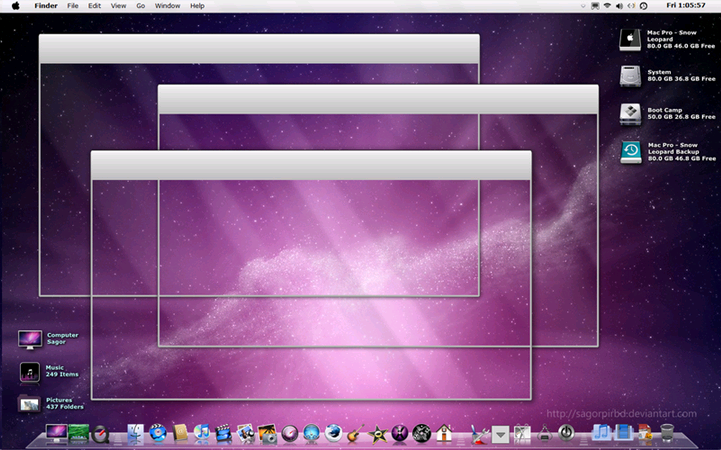
If you’d like to convert your Windows Vista or 7 to make it look like OS X Snow Leopard, you can learn how in this guide. Here’s what we’ll cover in this guide:
- Create a system restore point.
- Patch your system files with UXTheme Multi-patcher.
- Download Snow Leopard for Windows 7.
- Take Ownership of Your Files.
- Install Snow Leopard for Windows 7 theme.
Please note: this guide involves modifying system files and you should proceed with caution.
![leopard leopard 650x405 Style Your PC Desktop to Look Like OS X Snow Leopard [How To]](http://mintywhite.com/wp-content/uploads/2010/09/leopard-650x405.png)
![saverestore saverestore [Update] Context Menu Fix: Save and Restore Icon layout [Quick Tip]](http://mintywhite.com/wp-content/uploads/2010/09/saverestore.png)
![Customize Windows Icons smart links03 Use .PNG and .ICO Icons to Customize Windows [How To]](http://mintywhite.com/images/wg/0904/smart-links03.png)
![userNAme userNAme Windows 7; Easy Access to your User Folder [Quick Tip]](http://mintywhite.com/wp-content/uploads/2010/09/userNAme.jpg)
![7-29-2010 1-59-59 PM 7 29 2010 1 59 59 PM Add Windows Apps, System Tools, System Shortcuts, and Desktop Shortcuts to Context Menu [How To]](http://mintywhite.com/wp-content/uploads/2010/09/7-29-2010-1-59-59-PM.png)